Step 1 — Run Eclipse run-time
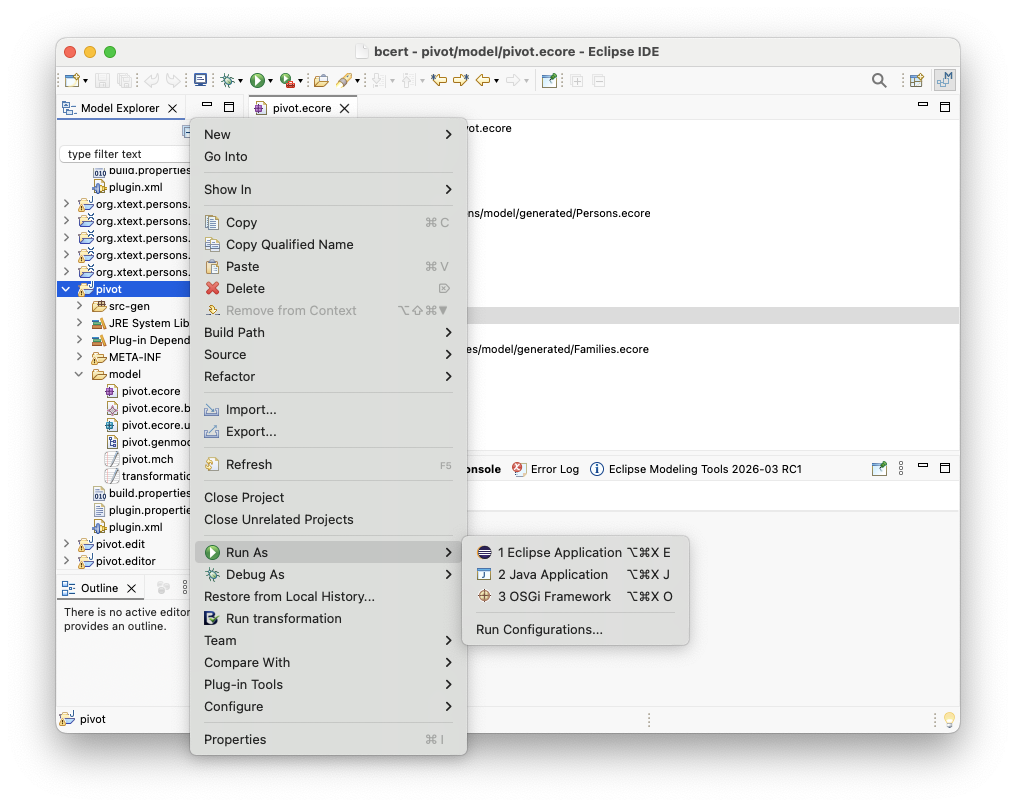
- Right-click on your transformation project (here
pivot) - Select Run As → Eclipse Application
This launches a new Eclipse instance (called Eclipse run-time).
Step 2 — Create a project
- In the Eclipse run-time, go to File → New → Project
- Select General → Project
- Click Next
- Enter a project name (for example
Families) - Click Finish
Step 3 — Create input models
- Right-click on project
Families→ New → File
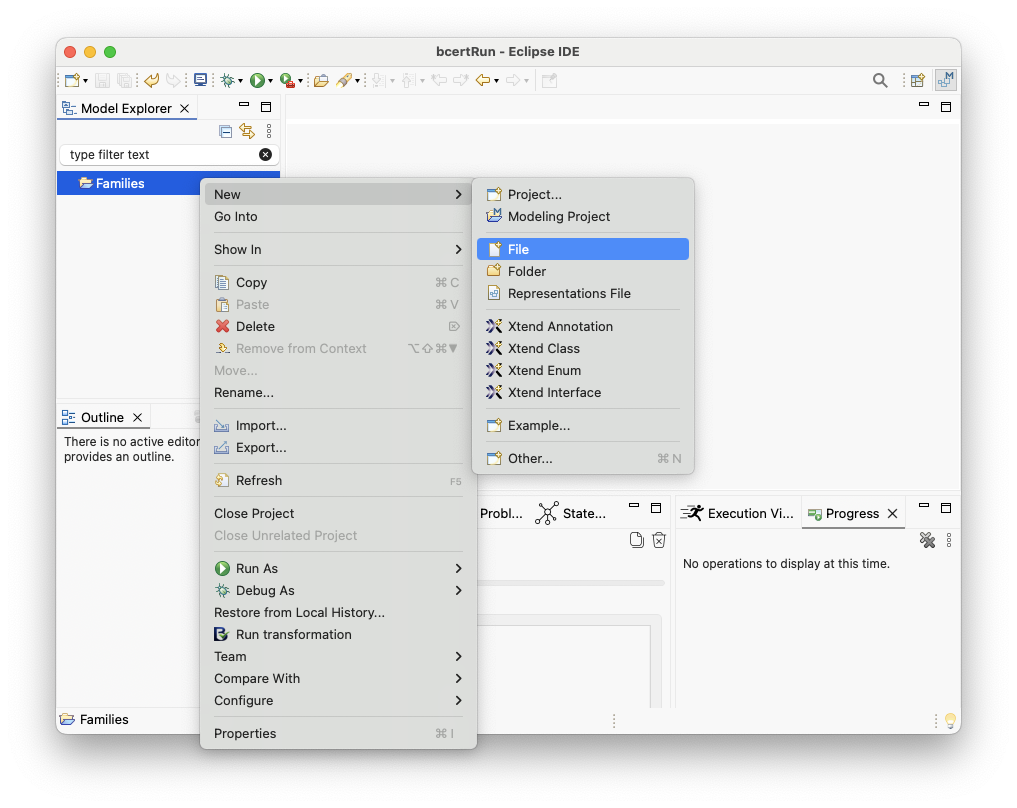
- Enter a file name (for example
addams.fam) - Xtext will prompt you to convert project
Familiesinto an Xtext project — click Yes - Edit file
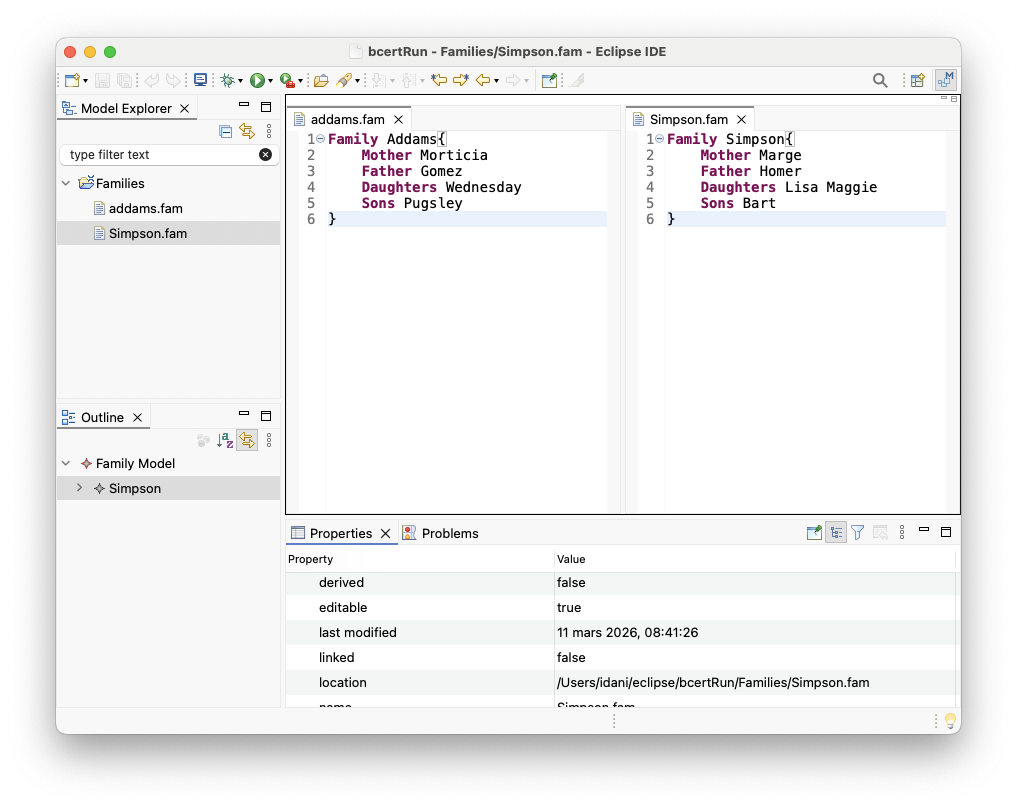
addams.famwith a valid model conforming to the grammar.
In the example below, two families are defined in two different files.
Step 4 — Instantiate the transformation project
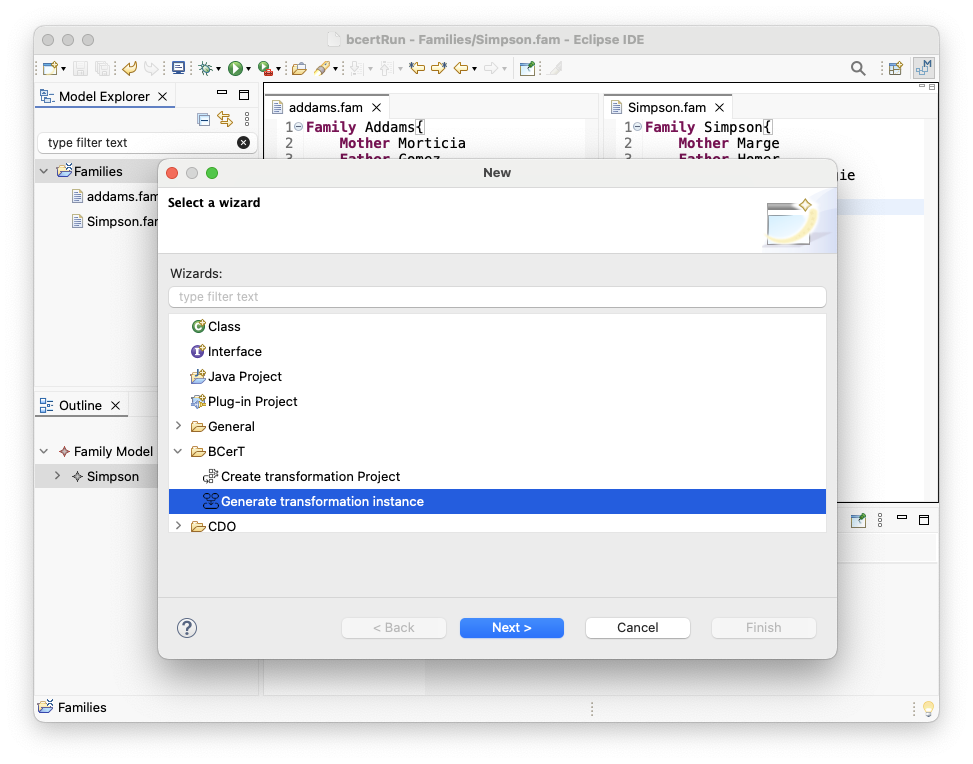
- In the Eclipse run-time, go to File → New → Other…
-
Under BCerT, choose Generate transformation instance
- Select the
pivotmeta-model in the list (you can use the search field) -
Enter a name for the transformation instance
(you can keeppivot; in this example we useFamilies2Persons)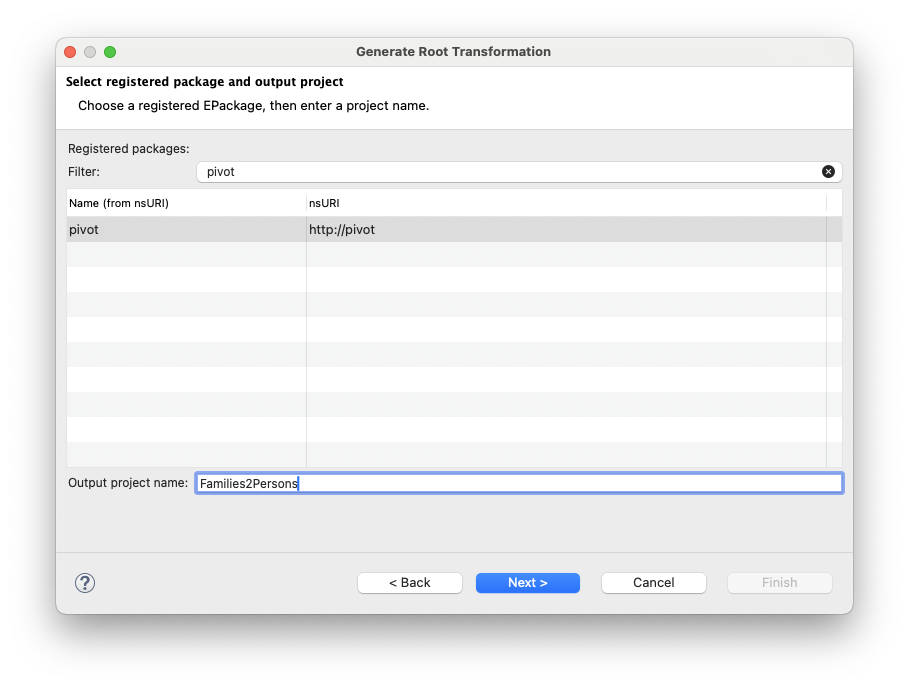
- Click Next
- Select the source meta-model (in this example:
families : families) - Specify the output file extension (in this example:
per) -
In the file list, select the input models to transform and add them to the selection
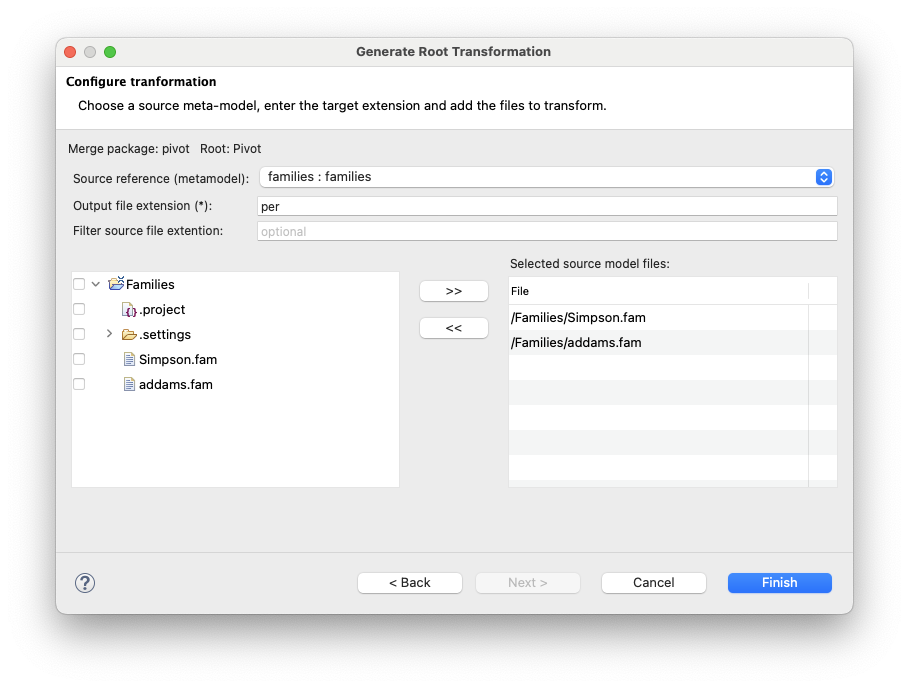
- Click Finish to generate the transformation instance