This tutorial explains how to create Xtext grammars that can be used with BCerT.
Step 1 — Create an Xtext project
- Open Eclipse
- Go to File → New → Project
- Select Xtext Project
-
Click Next
- Fill the following information:
Project name(e.g.org.xtext.families)Language name(e.g.org.xtext.Families)File extension(e.g.fam)
In the following steps we use two languages
org.xtext.families (with extension .fam) and org.xtext.persons (with extension .per).Click Finish. Xtext will generate the following components:
- the grammar definition
- the parser
- the EMF metamodel
- the editor
Step 2 — Define the grammar
Edit the .xtext file located in the project.
The screenshot below shows the two grammars that are considered in the next steps of the user’s guide.
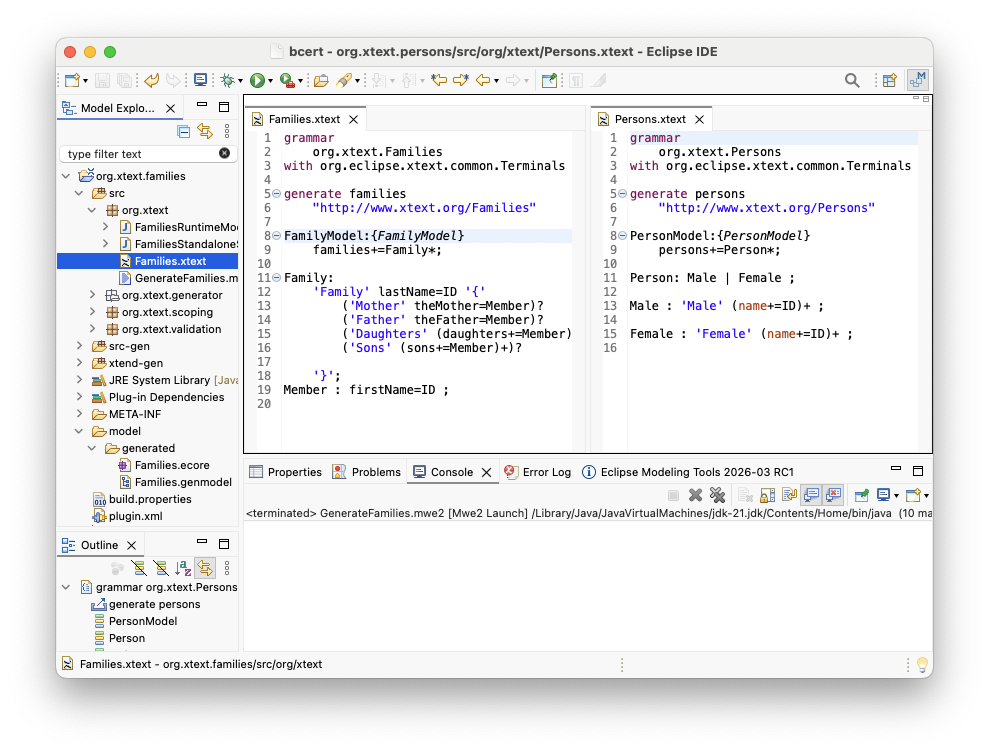
FamilyModel:{FamilyModel}
	families+=Family*;
Family:
	'Family' lastName=ID '{'
		  ('Mother' theMother=Member)?
		  ('Father' theFather=Member)?
		  ('Daughters' (daughters+=Member)+)?
		  ('Sons' (sons+=Member)+)?
	'}';
Member : firstName=ID ;
PersonModel:{PersonModel}
	  persons+=Person*;
Person: Male | Female ;
Male : 'Male' (name+=ID)+ ;
Female : 'Female' (name+=ID)+ ;
Tip: Make sure the axiom of your output grammar creates a root model element (e.g. PersonModel:{PersonModel}). BCerT uses this root element as the entry point when generating output models.
Step 3 — Generate the Xtext artifacts
Right-click on the .xtext grammar file and select: Run As → Generate Xtext Artifacts
Xtext generates the following elements automatically:
- an
.ecoremetamodel - a corresponding
.genmodelfile
These files are created in the folder: model/generated
The .ecore file represents the meta-model derived from the grammar, while the .genmodel file is used to generate the EMF infrastructure.
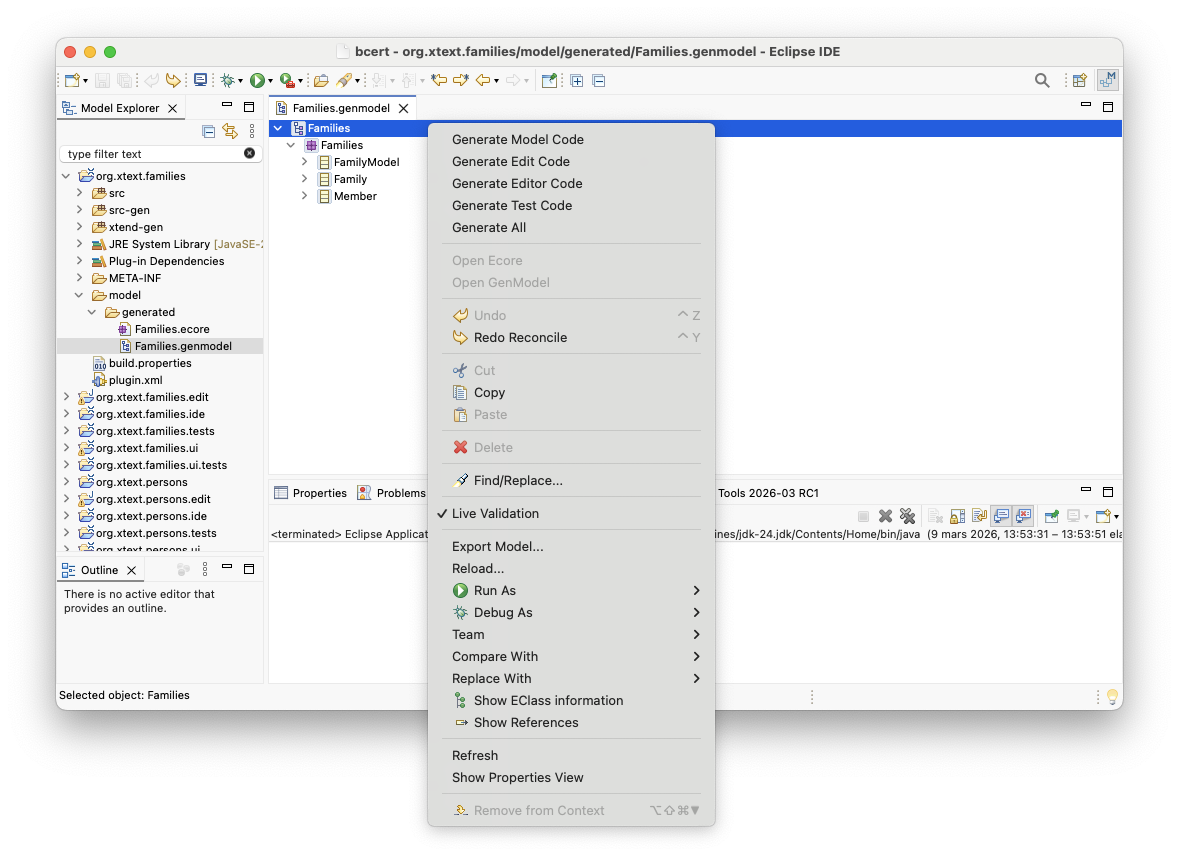
For each generated .genmodel file (Families.genmodel and Persons.genmodel):
- Open the file
- Right-click on the root element of the file
- Select Generate Edit Code
This step generates the EMF editing support required by BCerT.
Tip: Make sure you have done these steps for both DSLs.